静态HTML与CSS(最简单)
这是最基础的方法,适用于参考文献数量不多且不常变动的情况,每个引用和参考文献都是手动配对的。
(图片来源网络,侵删)
核心思路中,引用的地方使用 <sup> (上标) 标签包裹一个数字或字母。
- 在文末的参考文献列表中,使用
<dl>(定义列表) 标签来组织。<dt>代表引用标记,<dd>代表具体的参考文献内容。
代码示例
<!DOCTYPE html>
<html lang="zh-CN">
<head>
    <meta charset="UTF-8">
    <meta name="viewport" content="width=device-width, initial-scale=1.0">静态参考文献示例</title>
    <style>
        body {
            font-family: 'Microsoft YaHei', sans-serif;
            line-height: 1.6;
            max-width: 800px;
            margin: 40px auto;
            padding: 0 20px;
        }
        /* 正文样式 */
        .article-content {
            margin-bottom: 40px;
        }
        /* 引用标记样式 */
        .citation {
            color: #0066cc;
            cursor: pointer;
            text-decoration: none;
            font-weight: bold;
        }
        .citation:hover {
            text-decoration: underline;
        }
        /* 参考文献列表样式 */
        .references {
            border-top: 2px solid #eee;
            padding-top: 20px;
        }
        .references h2 {
            margin-top: 0;
        }
        /* 定义列表样式 */
        .references dl {
            padding-left: 20px;
        }
        .references dt {
            font-weight: bold;
            margin-top: 10px;
        }
        .references dd {
            margin-bottom: 10px;
            margin-left: 0; /* 重置dd的默认缩进 */
        }
    </style>
</head>
<body>
    <article class="article-content">
        <h1>关于人工智能的探讨</h1>
        <p>
            人工智能是计算机科学的一个分支,它企图了解智能的实质,并生产出一种新的能以人类智能相似的方式做出反应的智能机器[<a href="#ref1" class="citation">1</a>]。
            该领域的研究包括机器人、语言识别、图像识别、自然语言处理和专家系统等[<a href="#ref2" class="citation">2</a>]。
            人工智能从诞生以来,理论和技术日益成熟,应用领域也不断扩大[<a href="#ref1" class="citation">1</a>]。
        </p>
    </article>
    <section class="references">
        <h2>参考文献</h2>
        <dl>
            <dt id="ref1">[1]</dt>
            <dd>百度百科. <a href="https://baike.baidu.com/item/人工智能/9147" target="_blank">人工智能</a>. [引用日期: 2025-10-27].</dd>
            <dt id="ref2">[2]</dt>
            <dd>Stuart Russell, Peter Norvig. 人工智能:一种现代方法 (第3版). 清华大学出版社, 2011.</dd>
        </dl>
    </section>
</body>
</html>
优点:
- 简单直观,无需JavaScript。
- 结构清晰,使用HTML5语义化标签。
- 通过
href链接,用户可以点击跳转到对应的参考文献。
动态交互(点击显示/隐藏)
当参考文献很多时,全文中穿插的引用标记会显得杂乱,更好的用户体验是,用户点击引用标记时,才在旁边显示参考文献内容。
核心思路
- 使用HTML
<button>或<a>标签作为可点击的引用标记。 - 每个参考文献内容包裹在一个
<div>中,并设置display: none;默认隐藏。 - 使用JavaScript监听点击事件,点击时切换对应参考文献的显示和隐藏状态。
代码示例
<!DOCTYPE html>
<html lang="zh-CN">
<head>
    <meta charset="UTF-8">
    <meta name="viewport" content="width=device-width, initial-scale=1.0">动态参考文献示例</title>
    <style>
        body { font-family: 'Microsoft YaHei', sans-serif; line-height: 1.6; max-width: 800px; margin: 40px auto; padding: 0 20px; }
        .article-content { margin-bottom: 40px; }
        .citation-btn {
            color: #0066cc;
            background: none;
            border: none;
            font-size: 1em;
            cursor: pointer;
            font-weight: bold;
            padding: 0;
            text-decoration: underline;
        }
        .citation-btn:hover { color: #004499; }
        /* 参考文献弹出框样式 */
        .reference-popup {
            position: absolute;
            background-color: #fff;
            border: 1px solid #ccc;
            border-radius: 5px;
            box-shadow: 0 2px 10px rgba(0,0,0,0.1);
            padding: 15px;
            max-width: 400px;
            z-index: 1000;
            display: none; /* 默认隐藏 */
            font-size: 0.9em;
        }
        .reference-popup h4 { margin: 0 0 10px 0; font-size: 1em; }
        .reference-popup p { margin: 0; }
        /* 遮罩层样式 */
        .overlay {
            position: fixed;
            top: 0;
            left: 0;
            width: 100%;
            height: 100%;
            background-color: rgba(0, 0, 0, 0.3);
            z-index: 999;
            display: none; /* 默认隐藏 */
        }
    </style>
</head>
<body>
    <article class="article-content">
        <h1>关于人工智能的探讨</h1>
        <p>
            人工智能是计算机科学的一个分支,它企图了解智能的实质,并生产出一种新的能以人类智能相似的方式做出反应的智能机器
            <button class="citation-btn" data-target="ref1-content">[1]</button>。
            该领域的研究包括机器人、语言识别、图像识别、自然语言处理和专家系统等
            <button class="citation-btn" data-target="ref2-content">[2]</button>。
        </p>
    </article>
    <!-- 遮罩层,点击后关闭弹出框 -->
    <div class="overlay" id="overlay"></div>
    <!-- 参考文献内容 -->
    <div id="ref1-content" class="reference-popup">
        <h4>[1] 人工智能</h4>
        <p>百度百科. <a href="https://baike.baidu.com/item/人工智能/9147" target="_blank">人工智能</a>. [引用日期: 2025-10-27].</p>
    </div>
    <div id="ref2-content" class="reference-popup">
        <h4>[2] 人工智能:一种现代方法</h4>
        <p>Stuart Russell, Peter Norvig. 人工智能:一种现代方法 (第3版). 清华大学出版社, 2011.</p>
    </div>
    <script>
        document.addEventListener('DOMContentLoaded', function() {
            const citationButtons = document.querySelectorAll('.citation-btn');
            const popups = document.querySelectorAll('.reference-popup');
            const overlay = document.getElementById('overlay');
            citationButtons.forEach(button => {
                button.addEventListener('click', function(event) {
                    event.stopPropagation(); // 防止事件冒泡
                    const targetId = this.getAttribute('data-target');
                    const targetPopup = document.getElementById(targetId);
                    // 先隐藏所有其他弹出框
                    popups.forEach(popup => {
                        if (popup !== targetPopup) {
                            popup.style.display = 'none';
                        }
                    });
                    // 切换当前弹出框的显示状态
                    if (targetPopup.style.display === 'block') {
                        targetPopup.style.display = 'none';
                        overlay.style.display = 'none';
                    } else {
                        // 计算弹出框位置
                        const rect = this.getBoundingClientRect();
                        targetPopup.style.top = (rect.bottom + window.scrollY + 10) + 'px';
                        targetPopup.style.left = (rect.left + window.scrollX) + 'px';
                        targetPopup.style.display = 'block';
                        overlay.style.display = 'block';
                    }
                });
            });
            // 点击遮罩层关闭所有弹出框
            overlay.addEventListener('click', function() {
                popups.forEach(popup => popup.style.display = 'none');
                this.style.display = 'none';
            });
            // 按ESC键关闭所有弹出框
            document.addEventListener('keydown', function(event) {
                if (event.key === 'Escape') {
                    popups.forEach(popup => popup.style.display = 'none');
                    overlay.style.display = 'none';
                }
            });
        });
    </script>
</body>
</html>
优点:
- 用户体验更好,页面更整洁。
- 交互性强,符合现代Web应用的习惯。
- 可以通过CSS精确定位弹出框的位置。
专业级实现(引用与参考文献自动生成)
对于大型项目或需要频繁管理参考文献的场景(如学术论文),最佳实践是使用专门的JavaScript库,这些库可以让你在正文中只写简单的引用标记,然后自动生成格式化的参考文献列表。
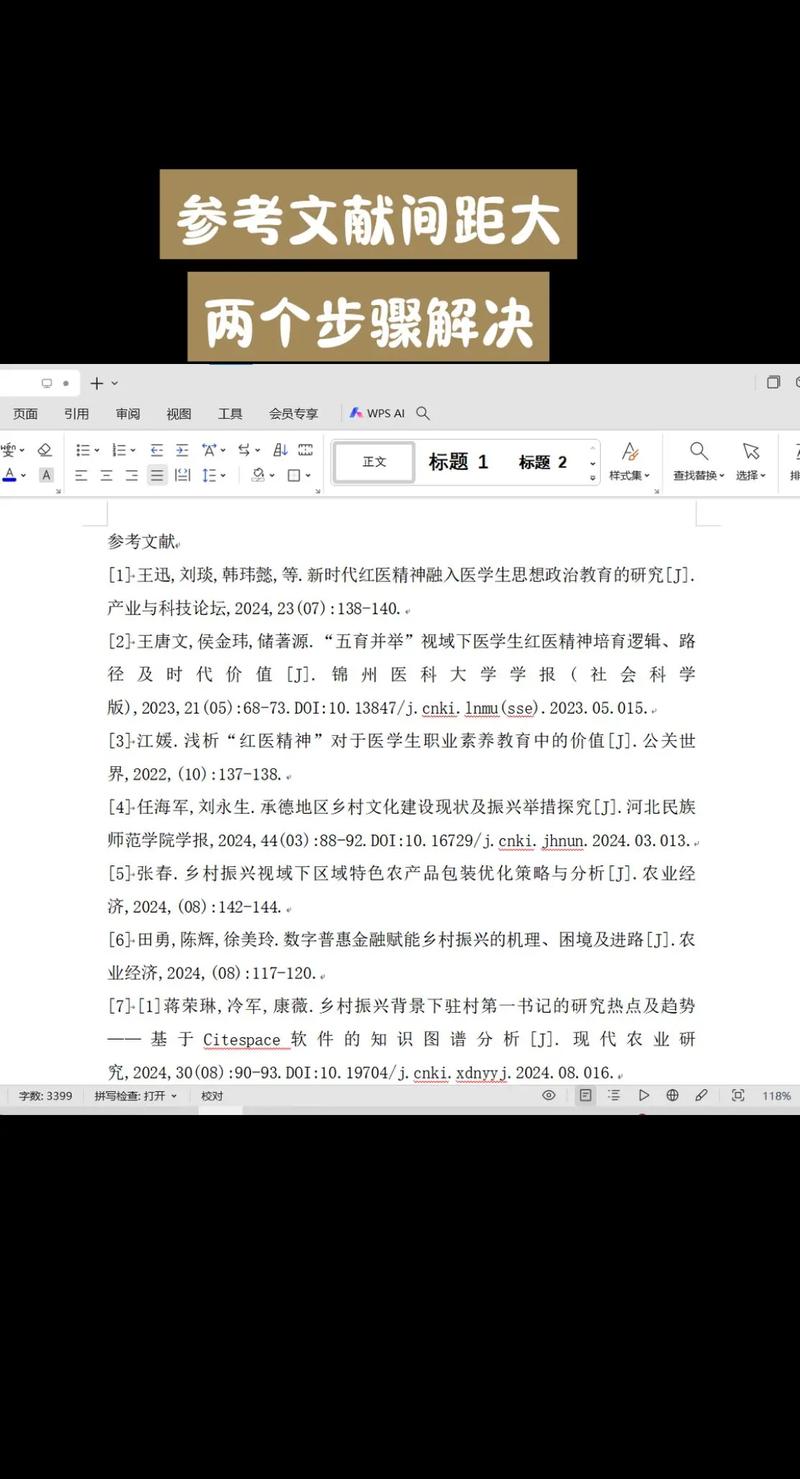
(图片来源网络,侵删)
推荐库:citeproc-js
这是一个JavaScript实现Citation Style Language (CSL) 的库,是学术界处理引用事实上的标准。
核心思路
- 安装库:通过npm或直接引入CDN链接。
- 准备数据:
- Citation Items (引用项):一个JSON对象,包含所有参考文献的详细信息(作者、标题、年份等)。
- Citation (引用):一个JSON数组,描述了在正文中引用了哪些文献。
- Bibliography (参考文献列表):一个配置对象,定义参考文献列表的格式(如APA, MLA, GB/T 7714等)。
- 调用库:使用库的API,将数据传入,它会自动渲染出引用标记和参考文献列表。
代码示例 (使用CDN)
<!DOCTYPE html>
<html lang="zh-CN">
<head>
    <meta charset="UTF-8">专业级参考文献示例</title>
    <!-- 引入 citeproc-js 库 -->
    <script src="https://cdn.jsdelivr.net/npm/@citation/citeproc@0.6.1/bundle.umd.js"></script>
    <style>
        body { font-family: 'Microsoft YaHei', sans-serif; line-height: 1.6; max-width: 800px; margin: 40px auto; padding: 0 20px; }
        .citation { color: #0066cc; cursor: pointer; }
        #bibliography { border-top: 2px solid #eee; padding-top: 20px; }
        #bibliography h2 { margin-top: 0; }
        #bibliography .csl-entry { margin-bottom: 10px; padding-left: 20px; text-indent: -20px; }
    </style>
</head>
<body>
    <h1>关于人工智能的探讨</h1>
    <p id="citation-body">
        这是正文内容,人工智能[<span class="citation" id="citation-0">0</span>]发展迅速,其应用包括[<span class="citation" id="citation-1">1</span>]和[<span class="citation" id="citation-2">2</span>]。
    </p>
    <div id="bibliography">
        <h2>参考文献</h2>
    </div>
    <script>
        // 1. 准备参考文献数据
        const references = {
            "ref1": {
                "id": "ref1",
                "type": "article-journal",
                "author": [
                    { "given": "Stuart", "family": "Russell" },
                    { "given": "Peter", "family": "Norvig" }
                ],
                "title": "人工智能:一种现代方法",
                "publisher": "清华大学出版社",
                "issued": { "date-parts": [[ "2011", "1", "1" ]] },
                "type": "book"
            },
            "ref2": {
                "id": "ref2",
                "type": "webpage",
                "author": [{ "literal": "百度百科" }],
                "title": "人工智能",
                "URL": "https://baike.baidu.com/item/人工智能/9147",
                "accessed": { "date-parts": [[ "2025", "10", "27" ]] },
                "type": "webpage"
            },
            "ref3": {
                "id": "ref3",
                "type": "article-journal",
                "author": [{ "literal": "张三, 李四" }],
                "title": "深度学习综述",
                "container-title": "计算机学报",
                "issued": { "date-parts": [[ "2025", "5", "10" ]] },
                "type": "article-journal"
            }
        };
        // 2. 准备引用数据
        const citations = [
            // 第一个 [0] 引用
            {
                id: "citation-0",
                citationItems: [{ id: "ref1", label: "(p. 15)", locator: "15" }],
                properties: { noteIndex: 1 }
            },
            // 第二个 [1] 引用
            {
                id: "citation-1",
                citationItems: [{ id: "ref3" }]
            },
            // 第三个 [2] 引用
            {
                id: "citation-2",
                citationItems: [{ id: "ref2" }]
            }
        ];
        // 3. 配置参考文献列表样式 (这里使用APA第7版风格)
        const bibliography = {
            format: "html",
            template: "apa",
            lang: "en-US"
        };
        // 4. 初始化并运行Citeproc
        const citeproc = new CSL.Engine(
            new window.CiteProc.Sys(), // 系统对象
            "apa" // 模板名称 (apa, mla, 等)
        );
        // 将参考文献数据注册到引擎
        Object.keys(references).forEach(id => {
            citeproc.register.add(id, references[id]);
        });
        // 渲染引用标记
        const citationBody = document.getElementById('citation-body');
        citations.forEach(citation => {
            const citationHtml = citeproc.processCitationCluster(citation, [], []).[0][1];
            const citationElement = document.getElementById(citation.id);
            if (citationElement) {
                citationElement.innerHTML = citationHtml;
            }
        });
        // 渲染参考文献列表
        const bibliographyHtml = citeproc.makeBibliography()[1];
        document.getElementById('bibliography').insertAdjacentHTML('beforeend', bibliographyHtml);
    </script>
</body>
</html>
优点:
- 自动化:只需维护数据,引用和列表自动生成,减少手动错误。
- 标准化:支持全球通用的引用格式(APA, MLA, Chicago, GB/T 7714等)。
- 可维护性:添加、删除或修改参考文献时,只需修改数据JSON,无需改动HTML结构。
- 灵活性:可以轻松切换不同的引用风格。
总结与选择建议
| 方案 | 适用场景 | 优点 | 缺点 |
|---|---|---|---|
| 静态HTML/CSS | 个人博客、简单文档、少量参考文献。 | 实现简单,无依赖,SEO友好。 | 手动维护麻烦,数量多时页面杂乱。 |
| 动态交互 | 中等篇幅文章、内容管理系统、注重用户体验。 | 页面整洁,交互友好,提升阅读体验。 | 需要编写JavaScript,逻辑稍复杂。 |
| 专业库 | 学术论文、大型项目、需要频繁管理参考文献。 | 自动化、标准化、可维护性极强。 | 学习成本高,引入了外部依赖。 |
对于大多数开发者,方案二是平衡了实现复杂度和用户体验的绝佳选择,而对于需要处理大量文献或遵循特定学术规范的场景,方案三是毋庸置疑的最佳实践。
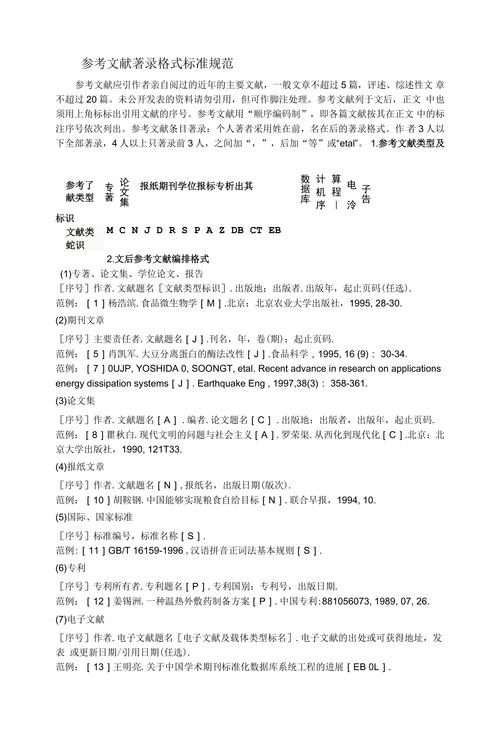
(图片来源网络,侵删)